Cultivate
Web app available now · Android in beta
Track what matters.
Your way.
Habits, routines, goals, and the little things that add up. Cultivate gives you a flexible place to track your progress, without forcing everything into the same system.

Illustrative demo data
How it works
Three simple steps.
- 1
Create your tracker
Choose what you want to track and how you want to measure it.
- 2
Check in your way
Log a completed habit, count occurrences, record an amount, or track something you’re trying to avoid.
- 3
See your progress
Review your history, streaks, and trends over time.
What you can track
Whatever matters to you.
A few examples of what people track—you set up each one yourself.
- Build a reading habit
- Track water intake
- Monitor exercise frequency
- Keep track of spending
- Reduce an unwanted habit
Not a typical habit tracker
Flexible by design.
Most habit trackers only ask “did you do it?” Cultivate lets each tracker work the way that thing actually works in your life.
Track it the way it happens
Done or not done, counts, amounts, or something you’re avoiding. Each tracker measures what makes sense.
Schedules that fit your life
Set trackers for daily, weekly, or monthly rhythms instead of one rigid routine.
A Today dashboard
Open the app and see what’s relevant today, nothing more.
History, streaks, and charts
Every tracker keeps its own history, streaks, and progress charts so you can see trends.
Pause or archive anytime
Life changes. Pause or archive a tracker without losing what you’ve built.
A closer look
See Cultivate in action.
Your trackers. Your progress.

Illustrative demo data
Six themes. Your everyday view.
Calm, Dark, Earthy, Indigo, Jewel, and Vibrant.
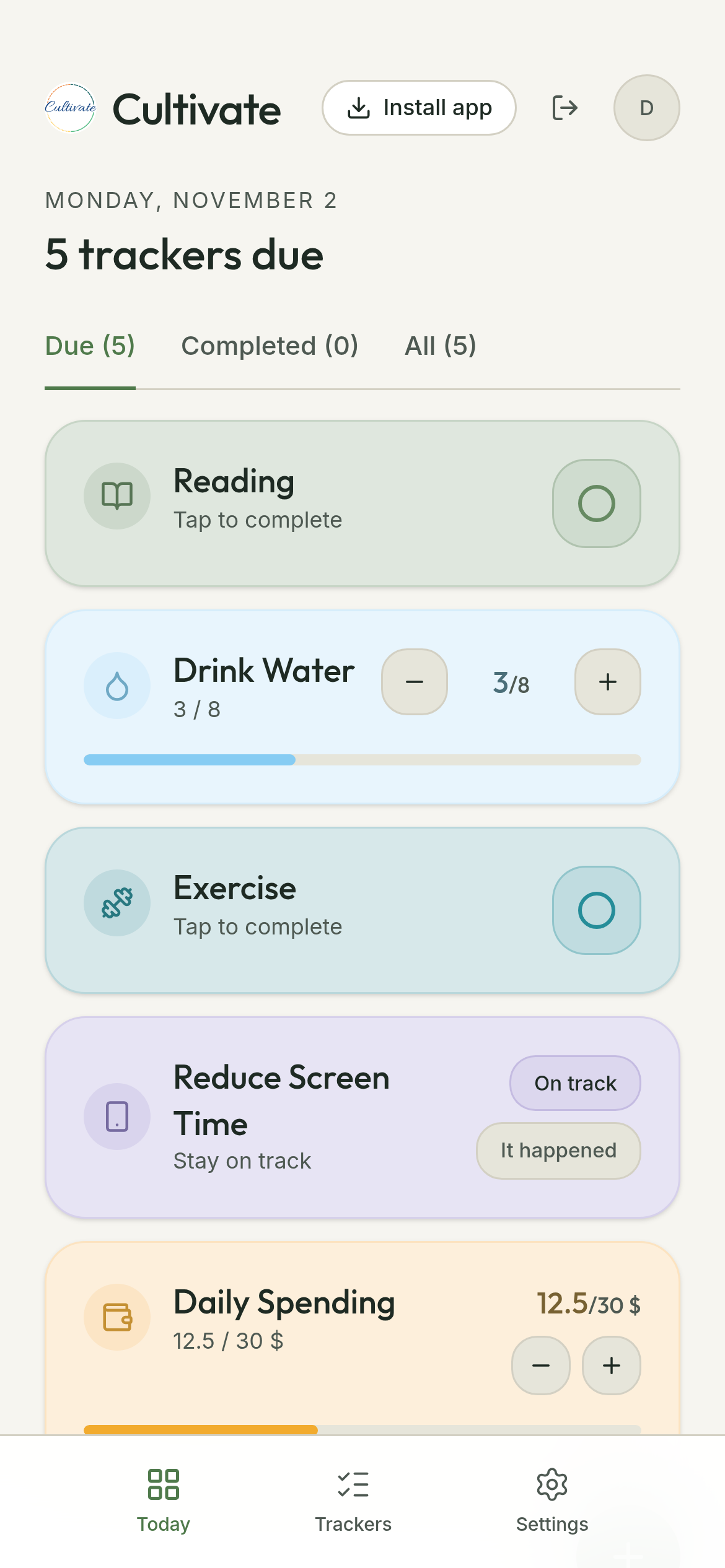
Illustrative demo data
A few things to know
Questions, answered.
Can I use Cultivate on the web?
Yes. Cultivate’s web app is available now. Select Start Tracking Free to open the app and sign in or create an account.
Is the Android app available?
The Android app is currently in beta, not a public release. You can use the web app now. Contact Support with questions about the Android beta.
How does tracking work?
Choose what you want to track, select a done/not done, count, amount, or avoid tracker, and set a schedule. Record your progress over time—whether you’re working on a habit, routine, or personal goal.
Start with one thing that matters to you.
Create your first tracker and build from there. The web version is ready to use now.